Free Printable ASCII Binary Code Worksheet with Answer Key
Print a free ASCII binary code worksheet with a compact reference, encoding and decoding practice, and a separate answer key using eight-bit groups.
- ASCII
- Encoding and Decoding
- Printable Activities
On this page
This printable binary code worksheet is a compact character reference to the seven-bit ASCII convention, represented as eight-bit bytes. It can be printed directly or copied for use in class, with blank response rows for your answers.
Original worksheet available directly to print or copy (blank response rows); separately printable answer key (Encoding: A = 01000001; a = 01100001; . = 00101110; AB = 01000001 01000010; cab = 01100011 01100001 01100010; A b! = 01000001 00100000 01100010 00100001. Decoding: 01000010 = B; 00100001 = !; 01000011 01100001 01100010 00111111 = Cab?); Seven-bit ASCII (A = 01000001, B = 01000010, C = 01000011, a = 01100001, b = 01100010, c = 01100011, space = 00100000, ! = 00100001, . = 00101110, ? = 00111111), Case-sensitive character assignments
Character-by-character encoding and decoding
In order to understand how the worksheets work, let's decode them one byte at a time. In this case, each character is assigned an exact value (the original case, all eight digits) using either the character lookup table or a reference. A group of characters may be separated from others within a message by a visible separator between the groups. If you're trying to decode, the binary will typically be separated into bytes, and each byte corresponds to exactly one character in your message.
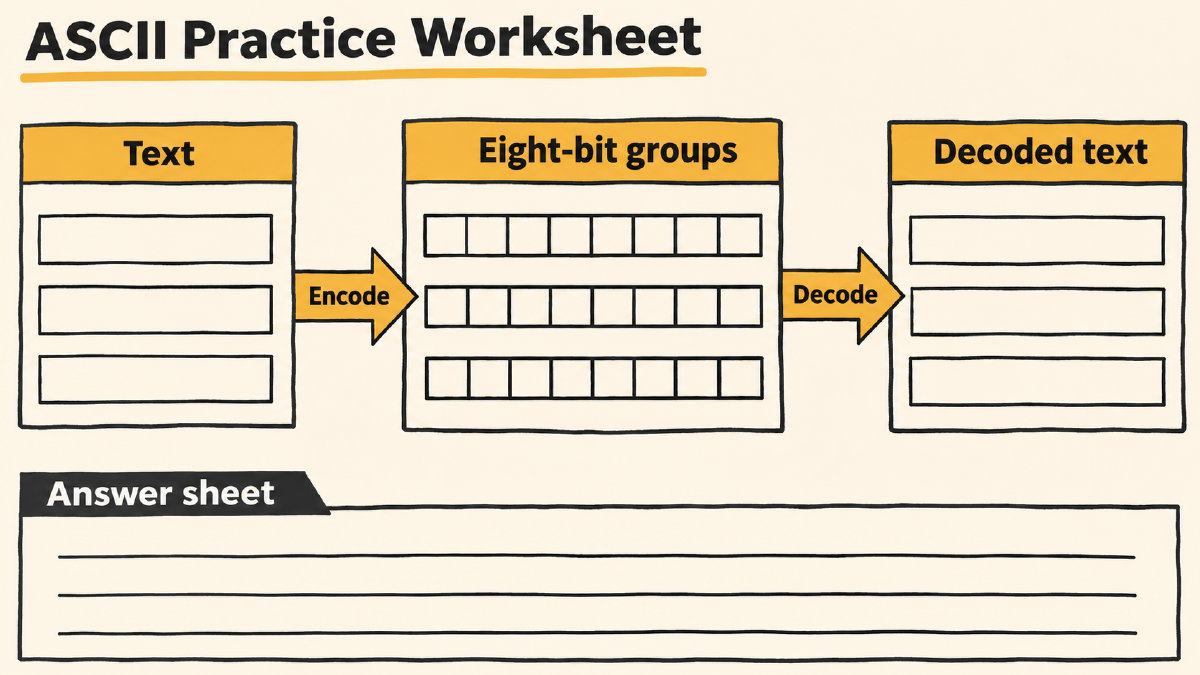
In the following example, we encode the phrase “A b!” (A space b exclamation mark) as four separate groups:
A = 01000001
space = 00100000
b = 01100010
! = 00100001
The spaces between the printed groups are byte separators that do not appear in the actual text message itself. For instance, the space inside the message must be represented by a separate 00100000 byte. Let’s look at another worked decoding example: “B.”
B = 01000010
. = 00101110
You’ll see that I’ve used only one reference lookup per eight-bit group (you can use the ASCII chart or simply memorize it). Once again, you’ll see that all the characters have been restored in the order they appeared, and the punctuation has also been retained.
ASCII Character Encoding/Decoding Exercises
These printable worksheets include a series of exercises that progress from simple single-character encodings through mixed-case messages to optional personal-name practice. The worksheet provides blank rows for responses, with examples shown above.
Encoding Prompts:
A
a
.
AB
cab
A b!
Decoding Prompts:
01000010
00100001
01000011 01100001 01100010 00111111
Blank rows are provided below for you to respond to these prompts with your own answers.
Encoding answers:
A: ________________________________
a: ________________________________
.: ________________________________
AB: ________________________________
cab: ________________________________
A b!: ________________________________
Decoding answers:
01000010: ________________________________
00100001: ________________________________
01000011 01100001 01100010 00111111: ________________________________
For name practice, you’re limited to ASCII letters and punctuation; other characters need a different encoding. This will preserve capitalization, but will allow you to use the explicit bytes for the spaces within the message. Otherwise, the encoded version of your name will be different from what you might think.
How to check the worksheets’ answers
There are many ways to check whether you’ve encoded or decoded something correctly, depending on which resource you choose. But you should make sure you’re matching your worksheet’s settings.
For example, I’ve chosen the site text-to-binary translator. When you go there, select eight-bit output and spaces as separators to match what you’ll find here.
Documented alternatives exist (seven-bit output, commas or no separator). However, if you want to check the worksheet against the answer key, you need to make sure that you enter the exercise text into the translator and then compare the returned groups with the key. Similarly, you can paste grouped binary into the site translator’s input field, and see whether the returned characters match what you expect. Note that the site’s translator also includes a reverse binary-to-text conversion, too.
I’ve created this activity to help you learn about binary and ASCII, so it’s best to approach it with the mindset that you are learning about encoding and decoding. That said, the process is pretty straightforward.
Why some classroom resources produce different results
Some classroom resources offer five-bit teaching alphabets for decoding words and creating messages. They aren’t interchangeable with this worksheet, however. Each activity’s own character chart should be used, since groups from different conventions don’t translate to each other.
Sources
Try it yourself
Free, in your browser. Nothing you type is uploaded.
More in Binary Codes & Puzzles
- How to Read a Binary Clock in BCD and Pure BinaryLearn to read a binary clock by adding lit-dot values. Compare BCD and whole-component binary displays with a worked 10:37:49 example.
- How to Decode a Binary Cipher Puzzle Using ASCIIDecode a binary cipher puzzle with an ASCII example, preserve spaces and punctuation, and learn why binary encoding alone is not encryption.
- Funny Binary Quotes and the Jokes Behind ThemFind funny binary quotes, understand the classic 10 kinds of people joke, and encode a short laugh in ASCII with a worked example.