How to Set the Character Set HTML Pages Use (HTML5)
Set the character set HTML pages use with a UTF-8 declaration, save matching bytes, and understand why conflicting headers can garble text.
- UTF-8
- HTML
- Character Encoding
On this page
The term "character set" in HTML refers to an encoding, which specifies how to translate characters into bytes and vice versa. The character itself is identified by a Unicode code point, and each character can be represented using one or more bytes. In this post, I’ll show you how to properly declare your character encoding within an HTML page.
Unicode Code Points
The Unicode code points identify a particular character. These are unique numbers that define the specific identity of a character, regardless of what byte sequence represents it. For example, the letter “A” is identified by the Unicode code point U+0041. The UTF-8 encoding, which defines how to encode Unicode into bytes, will represent that as 0x41, which is one byte.
When the first 128 Unicode characters were defined, they coincided with the ASCII characters, which have their own original values. The rest of the Unicode characters may use multiple bytes to represent the same code point. Each of these sequences must be decoded separately.
For instance, the Chinese character “桁” has a Unicode code point of U+6841. This single code point would then be encoded into bytes via UTF-8. UTF-8 encoding of the Chinese character “桁” would produce three bytes: 0xE6 0xA1 0x81.
You can see how that looks in binary:
E6 A1 81
Binary representation:
11100110 10100001 10000001
These three bytes are the UTF-8 encoding of the code point U+6841, which represents the Chinese character “桁”. In addition to identifying a Unicode code point, the code point also identifies a particular character, such as a number, symbol, letter, or emoji. So, the combination of the code point and its encoded bytes allows you to uniquely identify the text.
Declaring Your Encoding in an HTML Page
An HTML document should include an encoding declaration in the <head>, even if a UTF-8 byte-order mark already supplies the encoding. If you want to use UTF-8, then you need to make sure that the HTML file is saved as UTF-8, otherwise the browser won’t interpret the text correctly. As well, the declaration needs to appear after the opening <head> tag, and inside the entire declaration should fit within the first 1024 bytes of the file. The W3C recommends UTF-8, and if you don’t specify otherwise, you’re probably okay.
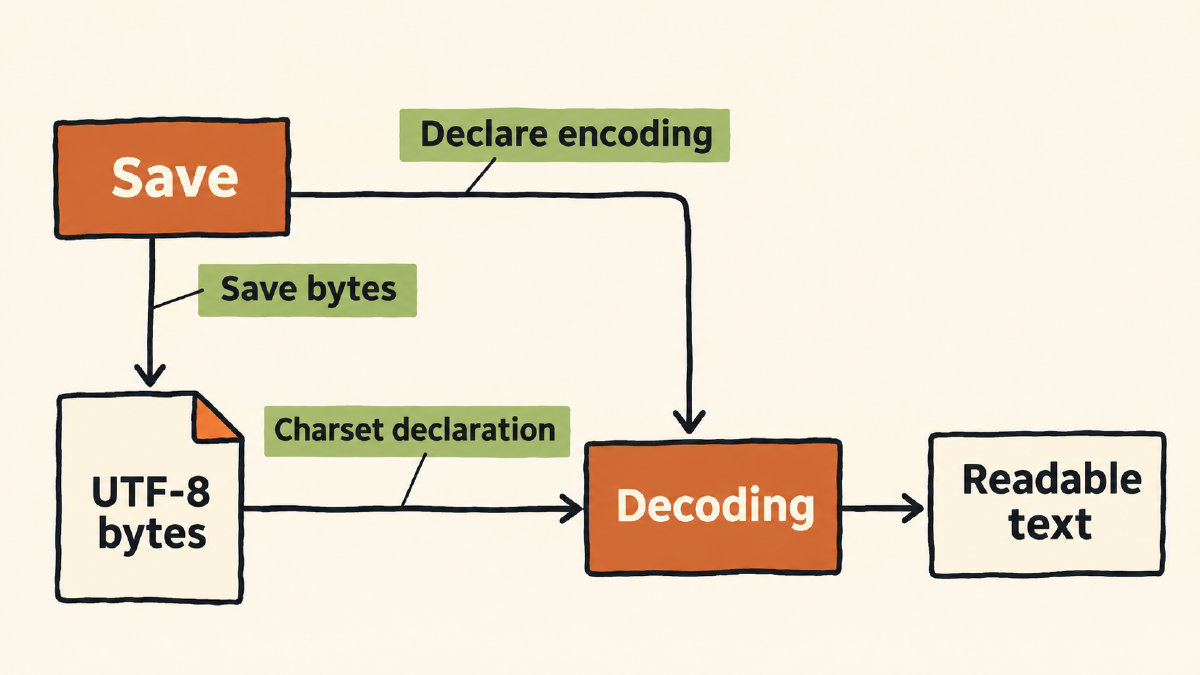
The minimal HTML5 document with an early encoding declaration looks like this:
<!DOCTYPE html>
<html lang="en">
<head>
<meta charset="utf-8">
<title>UTF-8</title>
</head>
<body>A 桁</body>
</html>
The declaration should immediately follow the opening <head> tag. The entire declaration must fit within the first 1024 bytes of the file. The W3C recommends UTF-8, so unless there’s a good reason to do otherwise, it’s probably best to use it.
One note: the declaration alone isn’t sufficient. The HTML file needs to be saved as UTF-8, or the browser will not interpret the text correctly.
Connecting the Readable Text to the Bytes
Let me connect two body characters: “A” and “桁”, respectively. They both exist in readable text and have their own actual UTF-8 representation, too. In the case of the character “A,” it is ASCII value 65. UTF-8 encodes that into the byte 01000001. But “桁” is a three-byte UTF-8 sequence, as discussed earlier. The Unicode code point of “桁” is U+6841. UTF-8 uses the following three bytes: 11100110 10100001 10000001. One-byte ASCII, along with a three-byte UTF-8, side-by-side shows the difference.
Conflicting Encodings?
If you have conflicting declarations — such as HTTP specifying one encoding and the declaration in the HTML page another — then the browser will use the HTTP response’s encoding declaration, unless a UTF-8 byte-order mark overrides both. If the selected encoding doesn’t match the saved bytes, this can lead to incorrect display.
This precedence between the declared encoding and the encoding that the file was saved as is a problem. It’s possible to have the HTTP request header declaring a different encoding from the declaration inside the HTML file. In fact, that’s exactly what happened in my experiment. When you send a declaration in the HTTP headers that overrides the encoding declared inside the HTML file, you might end up interpreting text incorrectly.
Then, in the response, I’m returning an HTML document with an HTTP header that specifies the encoding. In this example, however, we’re sending back the same HTTP headers that we used to make the request.
But that’s not always the case. What if we sent back different HTTP headers than the ones we received? Let’s try that now.
Here, the HTTP request’s content-type of text/html; charset=utf-8 describes the body sent to the server, not the encoding requested for the response. The response returns a document with the content-type of text/html; charset=windows-1252. The two responses look very similar, except for the second part of the content-type. Let’s compare them now.
In the HTTP headers, we declared the request body as UTF-8, but our response declared Windows-1252, a legacy encoding that maps many Latin characters to single-byte values. That means that when we display the resulting HTML document, we’ll see a different result, depending on which encoding was specified in the HTTP headers.
The final test, though, is checking the effective encoding against what we expect to be there. We can’t know, just from looking at the results, whether the text was actually damaged prior to processing. There are several ways to check this, including using console.log(document.characterSet) to report the encoding currently being used to render the document.
document.characterSet is a read-only property, and reports the encoding that is currently being used to render the document. So, we’d expect this to return “UTF-8” for a document being rendered as UTF-8. However, it might be different if something goes wrong with the document itself.
The expected encoding is usually set in the Content-Type, which includes the parameter charset=utf-8. If there is no Content-Type, or if the Content-Type doesn’t specify an encoding, then a matching meta declaration or UTF-8 byte-order mark can still supply the encoding needed to render the text correctly.
W3C Internationalization Checker
The W3C provides an Internationalization Checker to detect if the encoding declarations sent in HTTP headers match the content of the document. That means the Effective encoding and header checks are merely detecting that an encoding declaration exists and matches. But the effective encoding and header checks cannot determine if underlying text was already damaged.
Sources
Try it yourself
Free, in your browser. Nothing you type is uploaded.
More in ASCII & Text Encoding
- How to Find the LSB Bit in an ASCII ByteFind the LSB bit in an ASCII byte, see how changing it turns A into @, and distinguish bit significance from numbering and byte order.
- What Is the Character Code for Degree Symbol °?The character code for degree symbol ° is U+00B0. See its UTF-8 binary bytes, HTML references and the documented Word shortcut.
- How to Encode and Check a Binary Code TattooEncode a binary code tattoo message, preserve its exact text and byte order, and check the final stencil against your saved binary.