How the Character Set Latin1 Extends ASCII
Understand the character set Latin1, its ASCII-compatible bytes, how é becomes 11101001, and why Windows-1252 differs.
- Character Encodings
- ASCII
On this page
The encoding name, Latin1, has two meanings: one is a graphic-character standard that defines a set of characters; and the other is an Internet character map (also known as a “character set”) that includes control codes. For example, the International Organization for Standardization defines the Latin-1 or ISO-8859-1 standard to be a Latin-alphabet encoding that extends ASCII. Latin1 also happens to be a registered alias for ISO-8859-1.
The ASCII standard itself defines 128 values using 7 bits, including 95 printable characters and 33 nonprintable control characters. As such, it may seem that there are 256 possibilities (i.e., eight bits). However, the ASCII definition does not allow for this — only 128 values can be used. But how does the Latin-1 character set extend ASCII? How do you distinguish Latin-1 from another popular character set, Windows-1252?
To answer those questions, you first have to understand what the Latin-1 character set actually consists of.
What Does Latin-1 Look Like?
ASCII defines 95 different printable characters (the 26 uppercase letters A through Z, 26 lowercase letters a through z, 10 numbers, 32 punctuation marks and symbols, and a space), all within 0x20 to 0x7E (or decimal 32 to 126). In addition to these printable characters, ASCII also defines control codes to signal things like line feeds, carriage returns, tabs, etc. The control codes run from 0x00 (decimal 0) to 0x1F (decimal 31), plus DEL at 0x7F (decimal 127), with printable characters ranging from 0x20 (decimal 32) to 0x7E (decimal 126).
The Latin-1 character set preserves all of the original ASCII values. The additional range consists of 128 more values, beginning at 0x80 (decimal 128) and ending at 0xFF (decimal 255). This range includes both nonprintable characters, or control positions, as well as various accented letters and special characters commonly used in western European languages. Control codes are nonprintable; the letters used to label them in character tables are reminders of their functions.
You might ask why control codes were added to ASCII. Control codes can perform several tasks, such as signaling a device to do something else. One example is the line feed control code, which signals a new line. However, when dealing with text, it’s important to differentiate between the two.
Let’s see if we can make sense of what Latin-1 looks like. To keep things simple, let’s use just two examples: the ASCII letter A, and a French acute accent over e. What you’ll see here is that, mathematically, we’ve got quite a few interesting possibilities.
Example 1
The ASCII letter A has the decimal value 65, and thus uses the binary representation of 01000001. Let’s say you want to display a small letter é (e acute). That would represent the decimal number 233. Using a calculator, we could convert 233 into 11101001. So now, instead of representing the letter A, we’d represent é.
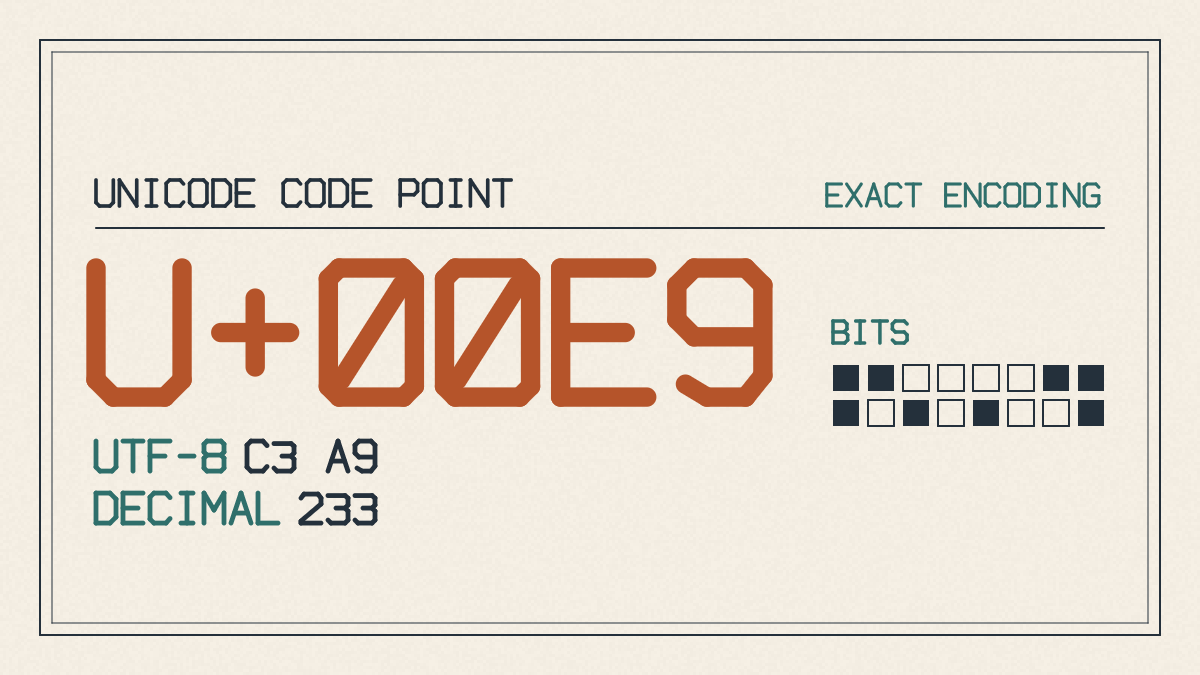
If we keep the same 7-bit ASCII letter A value (0x41), but set the 8th bit (to give us 0x80 + 0x41 = 0xC1), we get the letter Á. That doesn’t give us é, whose value is 233 (0xE9 in hex). If we add the value of 128 to 110 (0x6E), we get 238 (0xEE), which represents î, not é.
But again, perhaps this example doesn’t help us very much because the difference between 0x41 (65) and 0xE9 (233) is 168, which may mean we’re simply looking at a variation of ASCII, perhaps even ASCII extended.
But how can we tell the difference? We need to look at the entire set of characters.
Latin1 vs Windows-1252
Windows-1252 is another popular character set, and the differences between them can be subtle. In strict ISO-8859-1, the euro sign doesn’t exist, as it was introduced later. Nor do we see any curly quotation marks, curly apostrophe, baseline quotation marks, or single guillemets.
Windows-1252, however, replaces some of the C1 control codes with additional characters and typographic symbols. Specifically, the affected range is 128–159 (hexadecimal 80–9F). Windows-1252 adds the euro sign (€) as well as curly quotes, curly apostrophes, and other symbols.
However, just because there is a visible symbol onscreen doesn’t necessarily prove it’s Windows-1252. To distinguish the two, check how values in the 0x80–0x9F range are decoded instead of relying on the euro sign alone.
Under the HTML5 decoding rules, a browser interprets the ISO-8859-1 label as Windows-1252.
Sources
Try it yourself
Free, in your browser. Nothing you type is uploaded.
More in ASCII & Text Encoding
- Free Printable ASCII Binary Code Worksheet with Answer KeyPrint a free ASCII binary code worksheet with a compact reference, encoding and decoding practice, and a separate answer key using eight-bit groups.
- How to Find the LSB Bit in an ASCII ByteFind the LSB bit in an ASCII byte, see how changing it turns A into @, and distinguish bit significance from numbering and byte order.
- What Is the Character Code for Degree Symbol °?The character code for degree symbol ° is U+00B0. See its UTF-8 binary bytes, HTML references and the documented Word shortcut.